Notifications are designed to get your attention, but not every alert deserves an immediate response. Messages, reminders, news updates, shopping offers, and app activity can quickly fill your day with interruptions.
Setting boundaries with notifications does not mean ignoring everything. It means choosing when and how alerts reach you so your devices support your priorities instead of controlling your attention. With a few simple changes, you can create a calmer and more intentional notification routine.
Start by reviewing your current notifications
Before changing your settings, take a few minutes to notice which alerts you receive. You may be surprised by how many apps send notifications throughout the day.
Look for patterns such as:
– Alerts that appear often but rarely matter
– Notifications from apps you no longer use
– Promotional messages that create pressure to act
– Updates that interrupt work or personal time
– Repeated alerts that provide the same information
– Notifications you usually dismiss without reading
A quick review helps you separate useful alerts from unnecessary distractions. If an app does not provide important or timely information, consider turning off its notifications completely.
Decide which notifications are truly important
Not all alerts need the same level of access to your attention. Sort notifications into a few simple categories based on how quickly you need to respond.
High-priority notifications
These may include direct messages from key contacts, calendar reminders, travel updates, or alerts related to tasks you are actively managing. Keep these notifications available if they provide useful information at the right time.
Useful but non-urgent notifications
These could include updates from social platforms, group messages, delivery information, or activity summaries. You may want to receive them, but they do not need to interrupt you immediately.
Low-priority notifications
Promotions, suggested content, game updates, and general announcements often fall into this category. These notifications can usually be turned off or grouped into a summary.
The goal is not to create a perfect system. It is to make a clear decision about what deserves your attention and what can wait.
Turn off notifications that do not add value
Many apps request permission to send notifications as soon as you install them. It is easy to approve these requests without thinking about the long-term effect.
Review notification permissions on your phone, tablet, and computer. Turn off alerts for apps that:
– You rarely open
– Send mostly promotional content
– Repeat information available elsewhere
– Interrupt you without requiring action
– Make you check your device out of habit
You can often keep an app installed while disabling its notifications. This gives you control over when you use the app instead of allowing it to decide when to contact you.
Use scheduled notification summaries
Some devices allow you to receive selected notifications in a scheduled summary. Instead of showing each alert as it arrives, the device collects them and delivers them at times you choose.
This feature can work well for non-urgent updates, such as:
– Social media activity
– News headlines
– Retail offers
– App recommendations
– Daily activity reports
– Community updates
Choose summary times that fit your routine. For example, you might review one summary around lunch and another near the end of the workday. Avoid scheduling summaries during meetings, focused work, or your evening wind-down.
Create notification-free blocks
A notification-free block is a planned period when alerts are paused. It can last 20 minutes, an hour, or longer, depending on your schedule.
Useful times for notification-free blocks include:
– During focused work
– While reading or studying
– During meals
– While spending time with friends or family
– When completing household tasks
– Before going to bed
– During creative activities
You can use a device setting such as Do Not Disturb, Focus mode, or Airplane mode. If you still need to remain reachable, allow calls or messages from selected contacts while muting everything else.
Start with one predictable block each day. Once it becomes comfortable, add more as needed.
Separate work and personal notifications
If you use the same device for work and personal activities, notifications can easily cross boundaries. A work message may interrupt personal time, while a personal alert may break your concentration during a task.
Consider creating separate profiles, focus modes, or notification groups for different parts of your day. For example:
– A work setting for scheduled work hours
– A personal setting for evenings and weekends
– A travel setting for directions and reservations
– A focused setting for writing, studying, or planning
Clear settings help reduce the need to make repeated decisions throughout the day. You can also set an automatic schedule so these modes change at certain times.
Change the way notifications appear
Turning off an alert is not your only option. You can also change how it appears.
Depending on your device, you may be able to:
– Remove sound but keep a visual alert
– Remove vibration
– Hide previews on the lock screen
– Prevent alerts from appearing as pop-ups
– Show notifications only in a notification center
– Use a less noticeable sound
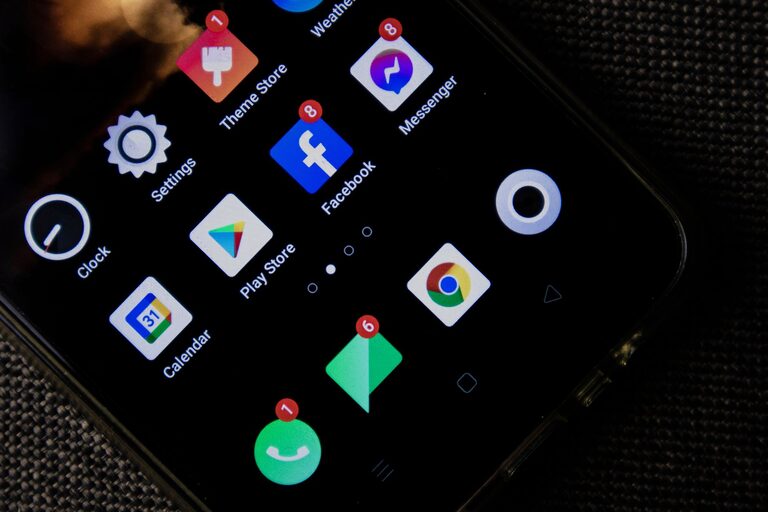
– Disable badges that display unread counts
These small adjustments can reduce interruptions while keeping information available for later review. For example, removing sound from group chats may help you avoid constant disruptions without requiring you to leave the conversation.
Set expectations with other people
Notification boundaries work best when the people around you understand them. Let colleagues, friends, and family know when you usually check messages and when you may be unavailable.
You might say:
– “I check messages a few times during the day.”
– “I keep notifications off while I am working, but I will reply later.”
– “For something urgent, please call.”
– “I may not respond immediately in the evening.”
You do not need to explain every setting. A simple, consistent message can help others understand that a delayed response is not the same as ignoring them.
Create a routine for checking alerts
Without notifications prompting you, it helps to choose regular times to review messages and updates. A checking routine prevents alerts from becoming a constant background activity.
You could review notifications:
- At the start of your day
- During a planned midday break
- Near the end of your workday
- Once during your evening, if needed
Adjust the schedule to match your responsibilities. The purpose is to make checking notifications a deliberate activity rather than a reaction to every sound or banner.
Review your system regularly
Your notification needs may change over time. New apps, projects, subscriptions, and routines can create new sources of interruption.
Once a month, review your settings and ask:
– Which alerts have been useful?
– Which notifications did I ignore?
– Did any alert interrupt me at an inconvenient time?
– Are there apps that should be grouped or muted?
– Do my notification-free periods still fit my schedule?
Small adjustments can keep your system useful without making it complicated.
Give yourself time to adjust
At first, fewer notifications may feel unusual. You may reach for your device out of habit or worry that you will miss something. This is a normal part of changing your routine.
Start with manageable changes instead of turning off everything at once. Mute one busy app, create one notification-free block, or remove alerts from apps that rarely matter. After a few days, notice how the change affects your focus and time.
The best notification boundary is one you can maintain. By choosing which alerts deserve immediate access to your attention, you make room for deeper focus, more present conversations, and a more flexible daily routine.
About the Author